 Português
 Azərbaycan
 Čeština
 English
 Español
 Français
 Ελληνικά
 हिन्दी
 Indonesia
 Italiano
 Русский (др. страны)
 Русский (Россия)
 Türkçe
 Українська
 العربية
 简体中文
简体中文
 繁體中文
繁體中文
 日本語
日本語
 한국어
한국어
 Қазақ
Қазақ
You can leave private comments for any phone number in NumBuster. These notes help you save important details and remind you who the person is or what you discussed. They are especially convenient on Android devices: notes appear directly during a call, allowing you to instantly recall key information about the caller without opening the phone number page. Your notes are visible only to you and no one else.
Como adicionar uma nota
- Abrir a página do número de telefone desejado
- Encontrar o campo Nota privada e tocar no ícone do lápis
- Inserir o texto da sua nota e tocar em Salvar
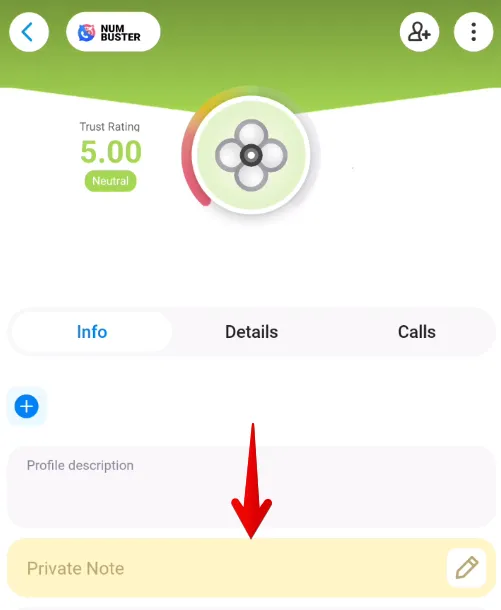
- Para eliminar uma nota, apague o texto ou toque no botão de eliminar no modo de edição
Pode ver todos os seus comentários tocando no mosaico Notas no ecrã inicial.
 Funções


 Tariffs
 Ajuda
Ajuda