 한국어
한국어
 Azərbaycan
 Čeština
 English
 Español
 Français
 Ελληνικά
 हिन्दी
 Indonesia
 Italiano
 Português
 Русский (др. страны)
 Русский (Россия)
 Türkçe
 Українська
 العربية
 简体中文
简体中文
 繁體中文
繁體中文
 日本語
日本語
 Қазақ
Қазақ
If you have changed your phone number or want to remove your data from NumBuster, use the account deletion option in settings. This will permanently delete all data associated with your account.
Account Deletion
- Go to Settings, then select Privacy Settings
- Scroll down and tap Delete Account and Phone Number
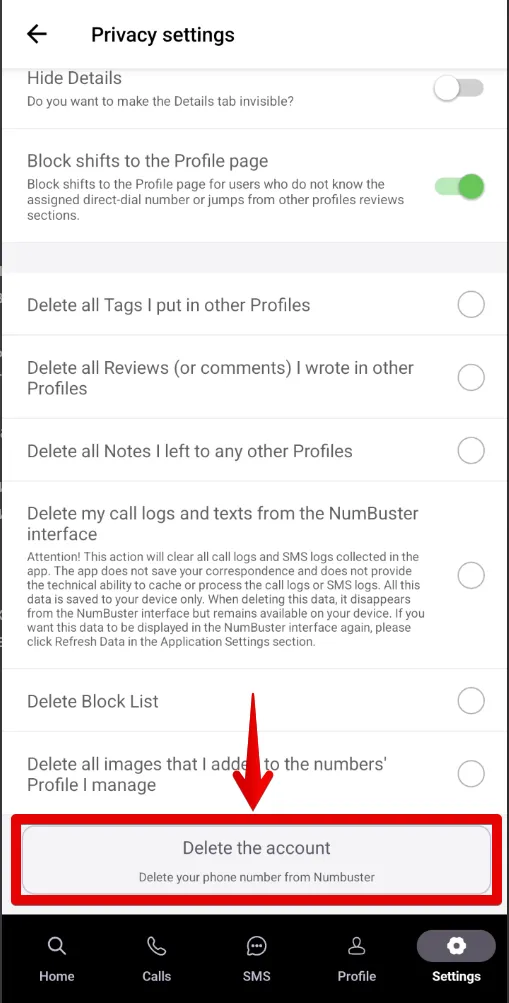
Once confirmed, all data linked to your phone number—including comments, notes, and blocks—will be deleted.
❗ A deleted account can only be restored by contacting our support team.
 기능
기능


 Tariffs
 도움말
도움말